Sftp File Management
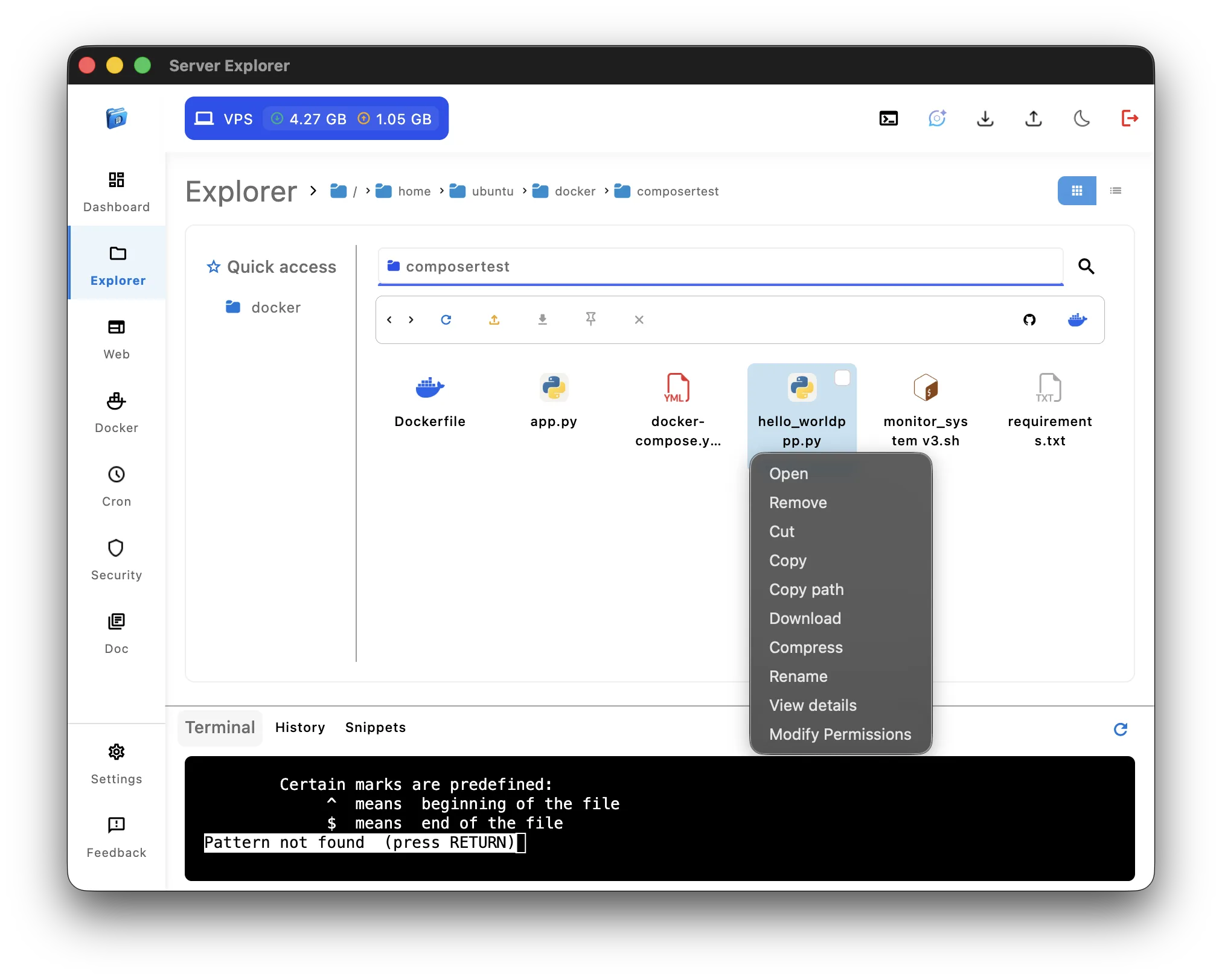
The SFTP file management feature in Server Explorer lets you browse, upload, and edit files on your Linux or Unix servers securely over SSH — without needing any external FTP client. It offers a clean, visual interface built for developers, DevOps engineers, and self-hosters who prefer simplicity and control in a single tool.
Once connected through the SSH Connectivity module, you instantly gain access to your server’s file system. You can upload and download files via SFTP, rename items, delete outdated assets, or change permissions with just a few clicks.
Each file can be previewed or edited inline, ideal for quick configuration changes or minor code adjustments. Syntax highlighting for common formats (such as .conf, .sh, .env, .html, .json, or .php) ensures you edit safely without breaking syntax. Developers working with web apps or APIs can quickly open configuration files, update environment variables, or restart processes afterward via the Interactive Terminal.
Bulk actions are also supported — select multiple files to compress, delete, or move them across directories in one operation.
For advanced users, Server Explorer detects symbolic links, letting you navigate through Docker container paths seamlessly.
Security remains at the core of this SFTP file management experience. All file operations use the same zero-trust encryption model as the rest of Server Explorer, meaning your credentials and data never leave your device.
To learn more about the SFTP protocol, visit the OpenSSH SFTP documentation or the Linux SCP and SFTP Guide
By combining file transfer, inline editing, and real-time server access, Server Explorer transforms traditional file management into a secure, modern experience fully integrated with your infrastructure.