Docker Management
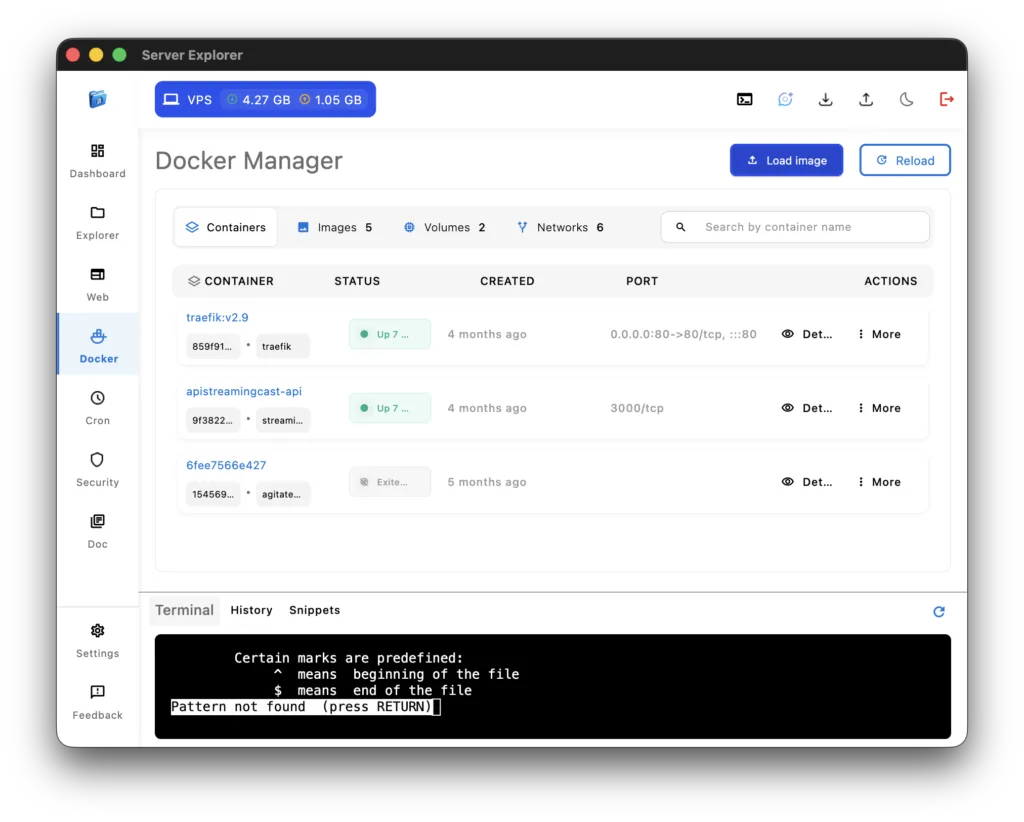
The Docker container management feature in Server Explorer gives you a clean, visual way to handle containers, images, and services directly on your Linux or Unix servers — all through an SSH-secured connection.
Instead of typing complex Docker commands in the terminal, you can deploy, inspect, start, stop, or remove containers from an intuitive interface designed for developers and DevOps teams.
Once connected via SSH Connectivity Server Explorer automatically detects whether Docker is installed and lists all running or stopped containers.
You can view essential details such as container names, status, image versions, exposed ports, and uptime. Each container card provides quick actions for starting, stopping, restarting, or rebuilding containers — everything you need without using the CLI.
Performance insights are displayed : CPU load, memory usage, and network I/O metrics help identify which containers consume the most resources. Developers can inspect logs or view environment variables directly from the dashboard, making debugging and optimization easier.
Creating new containers is straightforward — choose an image, configure environment variables, and launch it instantly. You can even pull new images from Docker Hub or your private registry without leaving Server Explorer.
As with every feature in Server Explorer, all operations follow a Zero-Trust model: your Docker commands and credentials are encrypted locally and executed through a secure SSH session. This means you maintain full privacy while managing your infrastructure remotely.
When you need deeper control, you can open the Interactive Terminal inside the container for live debugging, or use File Management to access container files.
For best practices on containerization, see the official Docker documentation or the Docker CLI reference
By merging power and simplicity, Server Explorer turns Docker container management into a secure, visual experience that saves time and reduces errors.