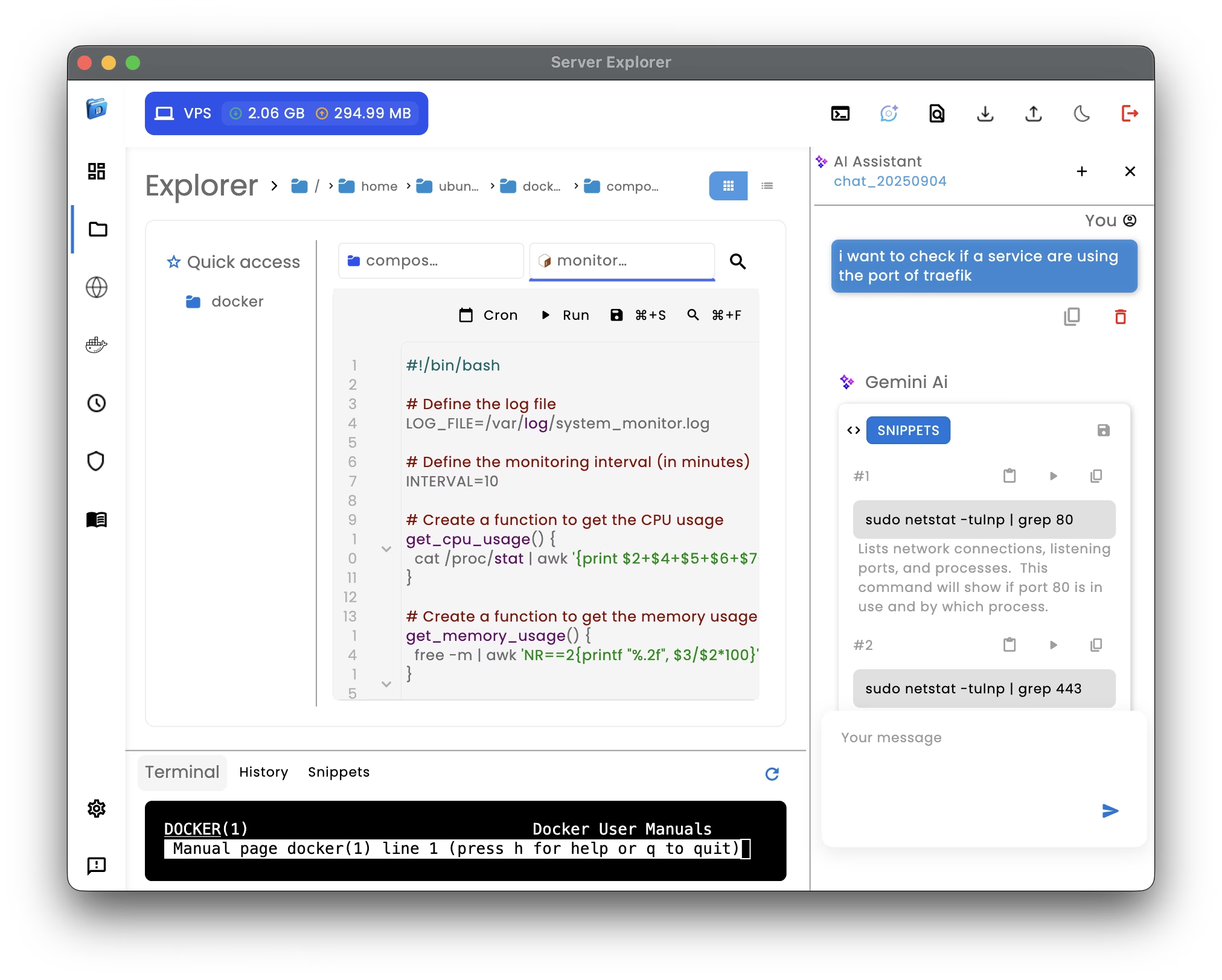
AI command generator
The AI command generator in Server Explorer introduces a smarter, faster way to manage Linux and Unix servers.
Instead of memorizing syntax or looking up examples online, you can simply describe what you need — the AI generates precise shell commands, explains them, and helps you automate tasks instantly.
From the built-in chat panel, the AI command generator can create new commands, debug existing ones, or store snippets for future use. Whether you need to check disk space, update packages, or configure SSH access, the assistant transforms your plain English requests into secure, ready-to-run commands. You can then execute them directly from the Interactive Terminal or save them as reusable snippets.
The AI command generator also helps you manage automation. It can configure cron jobs, explain scheduling syntax, and detect possible conflicts. For example, asking “run a backup every Sunday at midnight” instantly produces a correct cron expression and let you integrates it into the Cron Job Scheduling module. This makes automation accessible even for users unfamiliar with Linux’s cron syntax.
Beyond commands, the assistant can generate files — from .sh scripts and .env configs to Docker command templates. It explains each line of code, helping you understand the logic behind every operation. Combined with SSH Connectivity, the AI command generator tailors its suggestions to your connected server, ensuring accuracy and safety.
The AI experience in Server Explorer is built with privacy and transparency in mind. Although powered by Gemini AI, no private data or credentials are sent to any remote server.
Server Explorer automatically provides minimal context to Gemini AI — including your current conversation history, the active folder path, and your server’s operating system — so the assistant can respond accurately.
However, you remain fully responsible for any information you decide to share during a chat. This ensures compliance with security best practices and keeps sensitive data under your control.
By combining intelligence, safety, and context awareness, the AI command generator transforms the way you interact with your infrastructure — turning technical complexity into clear, executable actions.
For additional learning, explore the Linux Command Library or the GNU Bash Manual