Cron Job Scheduler
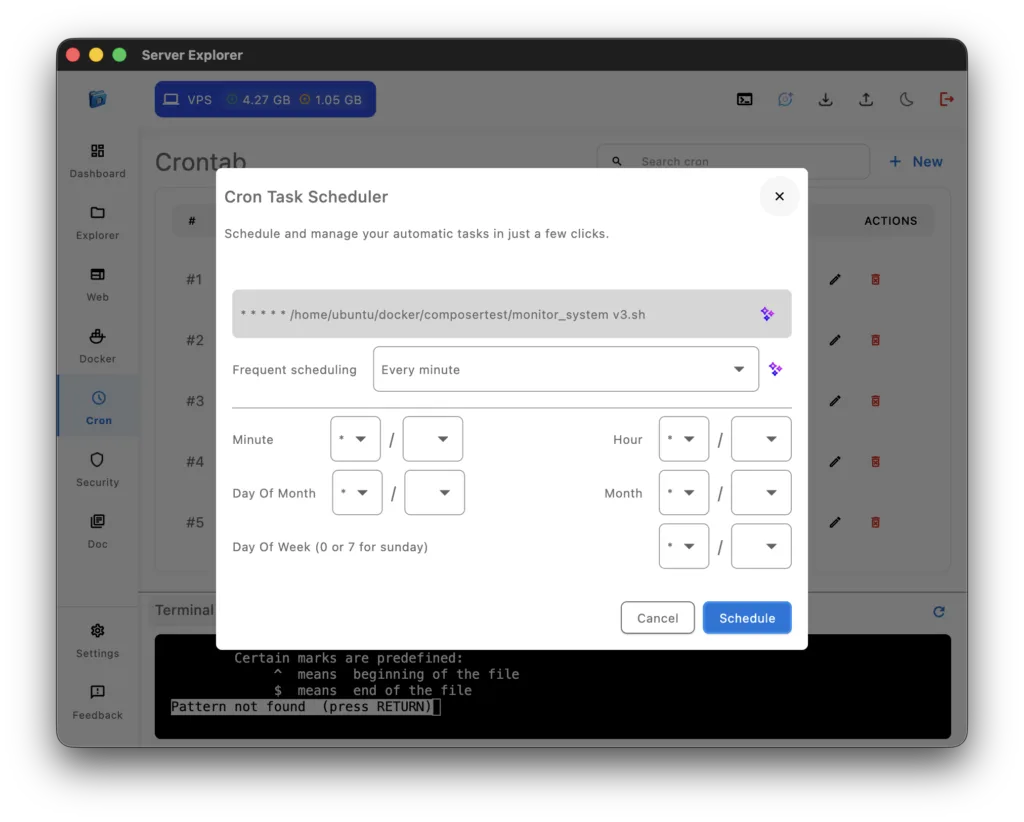
The cron job scheduler in Server Explorer lets you automate recurring tasks through a clean, visual interface — no command-line editing required.
Whether you’re managing a personal VPS or multiple production servers, you can easily create, edit, and monitor cron jobs without touching the crontab manually.
Each cron job runs through the same secure SSH Connectivity, channel, ensuring your scripts execute safely within your own infrastructure.
The interface provides everything you need: command fields, frequency selectors, and log previews. You can schedule backups, cleanups, or deployment scripts in just a few clicks.
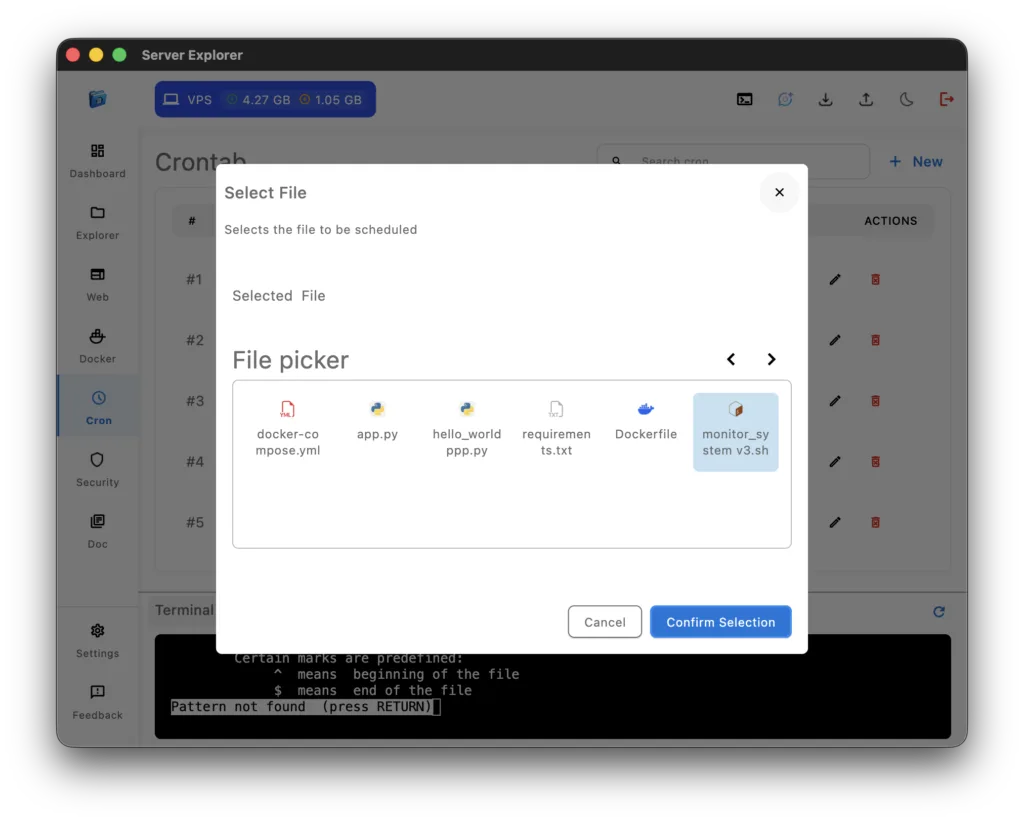
The cron job scheduler supports advanced scheduling patterns — from simple daily tasks to complex expressions like “every second Tuesday at 3AM.” You can attach any script stored on your server, thanks to the integrated File Management system, which lets you browse and select .sh files interactively.
Once a cron job is active, Server Explorer logs each execution locally, allowing you to view past runs, check output results, and identify errors quickly.
A powerful addition to this feature is the AI Command Generator powered by Gemini AI.
It can help you write or correct cron expressions, explain what a schedule means, or automatically create a cron task based on a plain-language request like “run my database backup every Sunday night.”
Each command is explained before saving, ensuring full transparency and safety.
All tasks and logs are stored locally on your device — no external transmission or third-party dependency. This keeps your automation setup private while maintaining the same zero-trust security standard across Server Explorer.
For developers who want to dive deeper into scheduling syntax, the Linux crontab manual and cron expression guide
With the cron job scheduler, Server Explorer makes Linux automation accessible to everyone — combining the precision of cron with the simplicity of a visual tool.