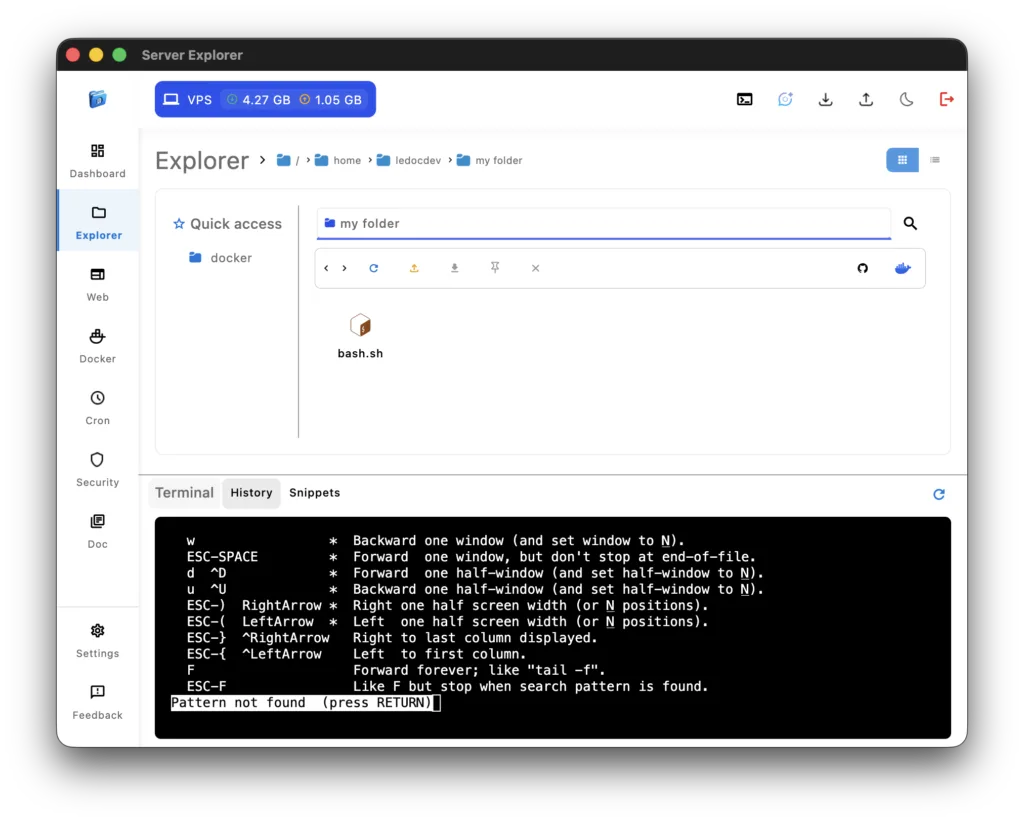
Interactive SSH Terminal
The interactive SSH terminal built into Server Explorer lets you execute commands directly inside your server — securely, visually, and without switching tools.
Unlike traditional SSH clients, this terminal is tightly integrated with the rest of your infrastructure, giving you the control and visibility you need to manage multiple environments efficiently.
With syntax highlighting, Server Explorer makes reading logs and output easier on the eyes. Errors, directories, and keywords are color-coded, helping you spot issues faster. The command history feature automatically records your most recent commands, so you can quickly re-run or modify them without typing everything again.
You can also save frequently used commands as snippets, organized by server or project — perfect for recurring tasks such as restarting services, checking resource usage, or deploying code.
The interactive ssh terminal supports real-time process management: you can view running processes, kill unresponsive ones, and monitor performance directly within the same window. Output is streamed instantly, allowing you to track long-running commands like updates, Docker builds, or system diagnostics.
Because it’s part of Server Explorer’s Zero-Trust architecture, every terminal session is encrypted locally. No data ever leaves your device, and credentials are securely handled through the SSH Connectivity
Once connected, you can also jump directly to File Management to edit configuration files or access the Security Insights section to check your system’s protection level.
To learn more about SSH command-line operations, you can consult the official Linux Shell documentation or OpenSSH reference
By combining usability, speed, and power, Server Explorer transforms the traditional terminal into a modern, efficient, and secure workspace for developers and DevOps engineers.